Lonestar Casino Login Guide & How to Claim Your Daily Login Bonus

Experience over 500 Vegas-style games by completing your Lonestar Casino Login today. New players can quickly register to unlock a generous welcome bonus and claim daily rewards just for logging in. Whether playing on a mobile browser or the official Android app, secure access to premium social gameplay is just seconds away.
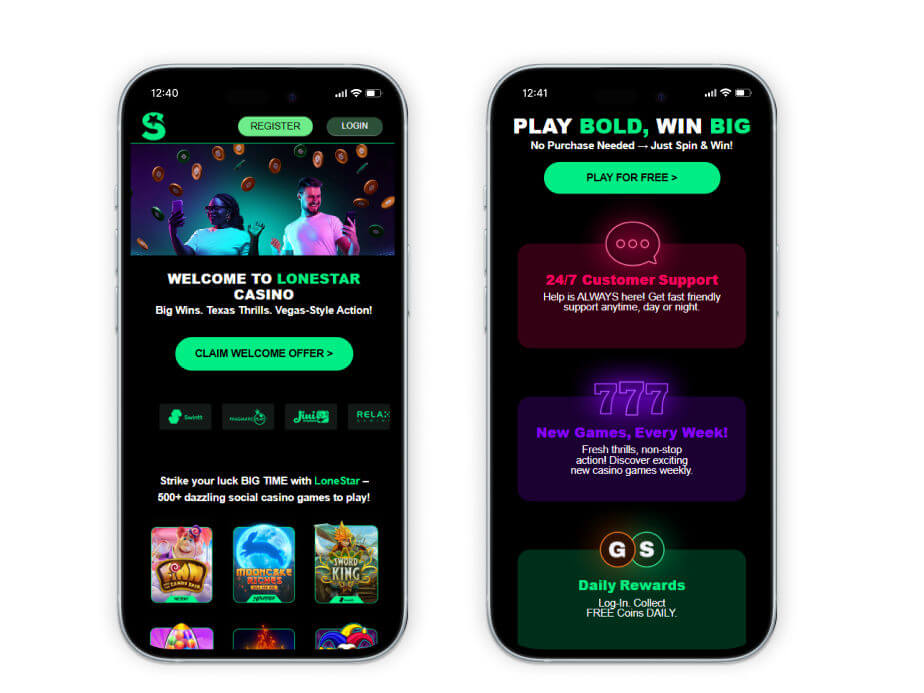
Official Lonestar Casino Login Page (Direct & Secure Link via CasinoMentor)
With the increasing prevalence of phishing scams, where fraudulent websites create fake interfaces to steal player credentials, safety must be your top priority. To ensure you are accessing the authentic platform and not a malicious imitation, it is highly recommended to avoid clicking on random links from unverified search engine results. Instead, treat CasinoMentor as your primary secure checkpoint.
To guarantee you reach the official Lonestar Casino login portal, follow this simple procedure:
- Navigate to the CasinoMentor.com search bar or scroll to the top of this guide.
- Search for the official Lonestar Casino review page.
- Locate and click the secure "Visit" button.
When you click the "Visit" button, CasinoMentor’s verified system utilizes a secure redirection (redirect) mechanism. This process instantly routes you directly to the official Lonestar Casino website, ensuring your connection is encrypted and your sensitive information is never leaked to third parties. Once on the official site, you can securely enter your email and password to access your account.
Logging in through this verified path also ensures you can safely claim your welcome bonus—which includes 100,000 Gold Coins and 2.5 Sweeps Coins—and access the full library of over 500 Vegas-style games without the risk of malware or account compromise.
Step-by-Step Lonestar Casino Login Process (Desktop & App)
Navigating the Lonestar Casino login is designed to be a seamless experience for both desktop and mobile users. Whether you are looking to login a new session on your computer or access your account on the move, follow these three simple steps:
- Open Your Browser or App: On a desktop or iOS device, launch your preferred web browser and navigate to the official site. Android users have the added option of opening the official Lonestar Casino app downloaded from the Google Play Store.
- Locate the Login Button: Once the homepage loads, look at the top right corner of your screen. You will see a prominent "Log In" button adjacent to the "Register" icon.
- Choose Your Login Method: When the login window appears, you can login in using one of several secure methods:
- Email Address: Enter your registered email and password.
- Social Accounts: Sync your account and gain instant access by selecting Facebook or Google.
- Apple ID: For users on compatible Apple devices, you can utilize your Apple ID for a faster, biometric-secured entry.
Explaining the RealPlay Tech Inc. Account Setup
When you create a Lonestar Casino login, you are not just signing up for a single site; you are establishing a primary identity within the broader RealPlay Tech Inc. ecosystem.
Similar to how players use a "chumba casino vgw login" to access a network of sister sites (like Chumba, LuckyLand, and Global Poker) managed by VGW, your account here functions as a unique identifier for the parent company. This centralized system provides several key benefits:
- Unified Identity (KYC): Once you complete your Identity Verification (submitting a government ID and proof of address), your verified status is recognized across the network, making future prize redemptions more efficient.
- Synchronized Gameplay: This setup helps the operator manage your Gold Coin and Sweeps Coin balances accurately, ensuring your transaction history and reward milestones are securely logged.
- Security & Integrity: A single corporate login allows RealPlay Tech Inc. to maintain higher security standards, protecting your data with SSL encryption and monitoring for fraudulent activity across all its platforms.
Login Troubleshooting: Password Recovery via Zendesk
Getting an "Invalid Username or Password" message can be frustrating, especially when you are eager to play. Whether you have forgotten your credentials or are facing a security lockout, follow these steps to regain access to your account:
- Forgot Password: If you cannot remember your credentials, click the "Forgot Password?" link on the Lonestar Casino login page. You will be prompted to provide your registered email address to receive a password reset link. Note: If the email does not arrive promptly, be sure to check your Spam or Junk folder. Once you receive the email, follow the instructions to choose a new password of at least 6 characters.
- Account Locked or Self-Excluded: To protect your security, entering an incorrect password five times consecutively will result in a temporary 30-minute account lockout. Furthermore, if you have previously requested a Self-Exclusion or a persistent block, you will be unable to log in until the designated period has ended.
- Technical Support via Zendesk: If standard recovery methods fail, you should utilize the official Lonestar Casino support portal, which is powered by Zendesk. Navigate to the Help Center and click "Submit a request" to open a support ticket. Provide the technical team with comprehensive details regarding your "Account Access Issues" to facilitate a thorough assessment and faster resolution.
Security Tips for a Safe Lonestar Casino Login Experience
Maintaining the security of your virtual coins and personal data is essential. Use these best practices to ensure a safe gaming environment every time you log in:
- Utilize Login Verification (2FA): Always take advantage of the site's Login Verification system. This security layer requires a unique verification code sent to your registered device, ensuring that even if someone knows your password, they cannot access your account without the code.
- Avoid Saving Passwords on Public Devices: Never save your login credentials or use "Auto-fill" features on public computers or shared Wi-Fi networks. Always log out manually after your session to prevent unauthorized access.
- Verify SSL and Official URLs: Before entering any sensitive information, check the browser's address bar for the SSL padlock icon and ensure the URL begins with https://lonestarcasino.com/. This confirms that your connection is encrypted and you are on the legitimate platform.
- Regularly Audit Account Activity: Periodically review your Gameplay History and Purchase/Redemption logs in your account settings. If you notice any unfamiliar activity, contact support immediately at [email protected].
How to Claim the Lonestar Casino Daily Login Bonus
The easiest way to build your bankroll without spending a dime is through the Lonestar Casino daily login bonus. Just by signing into your account every 24 hours, you automatically receive a reward consisting of 5,000 Gold Coins and 0.30 Sweeps Coins. You do not even need to play a game to receive these credits; simply log in, wait for the "Claim Bonus" pop-up to appear in the center of your screen, and click the "Claim" button.
To maximize your bankroll, remember to log in consecutively, as the platform utilizes a loyalty streak system where your bonus amount can grow for maintaining a daily check-in streak. The reward cycle resets precisely every 24 hours at 00:00 UTC, so it is a professional tip to set an alarm based on this universal time to ensure you never miss a collection and keep your streak alive. Consistent logins allow you to stack up virtual currencies over time, providing enough credit to enjoy over 500 Vegas-style games for free.
FAQs
Why can't I log into my Lonestar Casino account?
Login difficulties are most commonly caused by entering incorrect credentials; please note that entering an incorrect password five times consecutively will trigger a temporary 30-minute account lockout for your protection. Furthermore, the system will block access if it detects you are located in a restricted state, such as Washington, Nevada, Idaho, Michigan, Montana, Connecticut, or New York, or if you are utilizing a VPN or proxy to bypass these regional restrictions.
How often can I collect the Lonestar login bonus?
You can collect the free daily reload exactly once every 24 hours. The bonus menu includes a countdown timer that shows you exactly how much time remains before your next batch of 5,000 Gold Coins and 0.30 Sweeps Coins becomes available for collection.
Can I log in using multiple devices at the same time?
While your account and gameplay progress sync automatically across all devices, including desktop browsers and mobile apps, the system is optimized for secure, individual sessions. To maintain account integrity and prevent unauthorized activity, logging in on a new device may require a unique verification code sent to your registered email or phone.
RELATED ARTICLES

VegasSlotsOnline Positions Itself as the Number One Slots Database With a Radical Overhaul
Rolling Riches Casino Login Guide & How to Claim Your Daily Login Bonus

How New Slot Sites Are Redefining the iGaming Experience

How Casino brands are shifting marketing budgets to creators, streamers, and community-driven content
Ivy Casino Login Guide & How to Claim Your Daily Login Bonus

Vegastars Review: New Zealand Casino Brand Analysis
Grand Casino Login Guide & How to Claim Your Daily Login Bonus

Gemini Casino Login Guide & How to Claim Your Daily Login Bonus